Stay up to date with GameAnalytics updates
A rundown of the latest GameAnalytics feature releases, product enhancements, design updates, and important bug fixes.
Free Trials Enabled
GameAnalytics continues to grow, expanding our suite of powerful tools to support every stage of game development. To help you explore how each product can support your journey, we’re now offering free trials for AnalyticsIQ Pro and MarketIQ Pro.

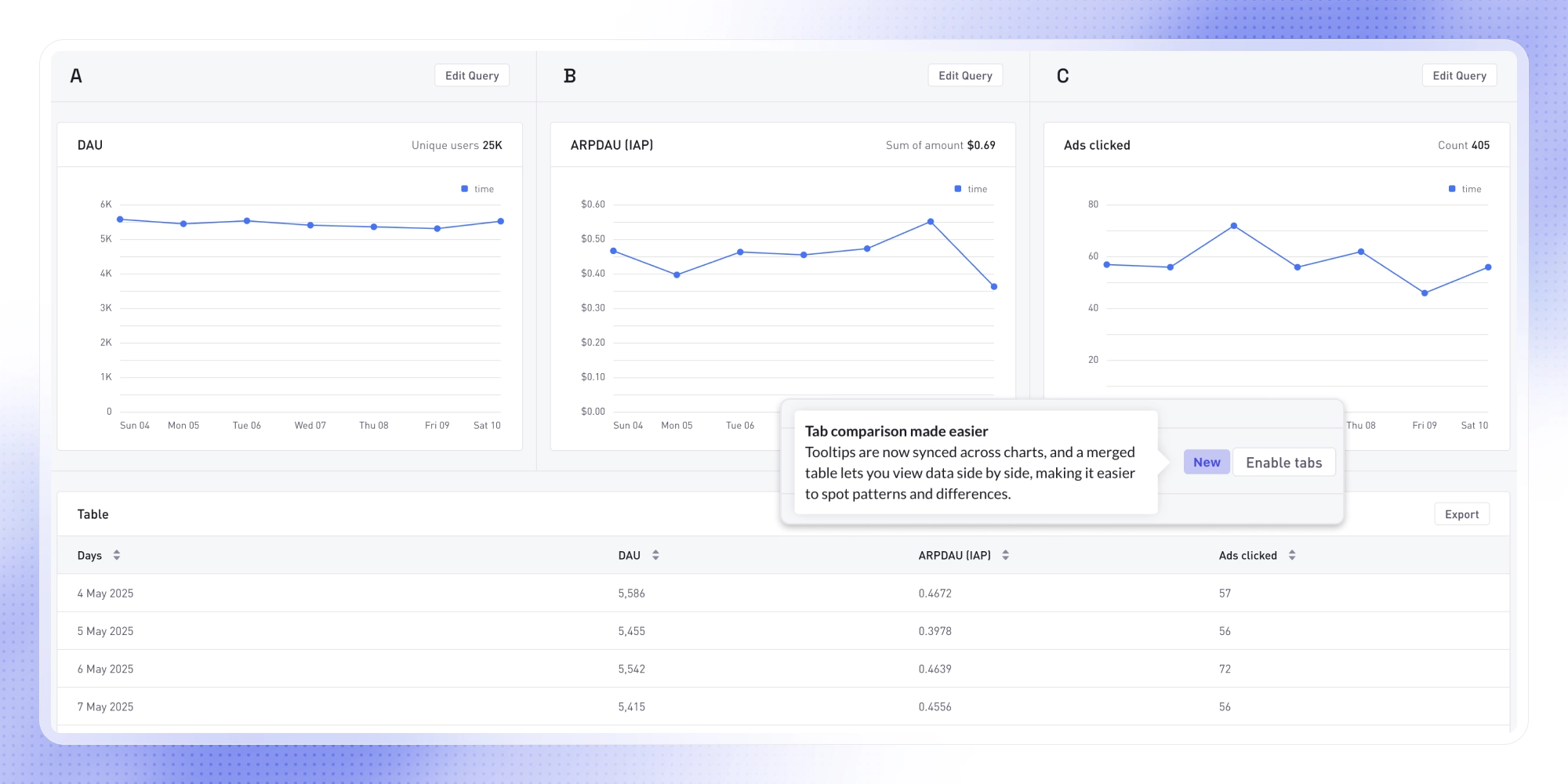
Explore Tabs
Compare up to 3 queries side by side in Explore. Use tabs to define separate metrics, time ranges, and filters - then compare with synced tooltips to spot trends across event types, builds, cohorts, and more.
Introducing the Engagement Matrix
Get a high-level view of player engagement by breadth (how many users trigger an event) and frequency (how often they do). The matrix helps you quickly spot which events are widely triggered and how intensely - for example, which levels are most often failed and by how many players.

Export Checkpoint Data
You can now export Checkpoint data in Parquet format to your AWS bucket, giving you access to daily event aggregations for a faster, high-level view of your data.

Rotate MetricsAPI Keys
Manage multiple MetricsAPI keys with ease. Generate, rename, or withdraw keys without disruption, improving security and simplifying handovers like developer offboarding.

"Per Active User" Aggregation
Get a deeper understanding of user engagement with the new "Per Active User" aggregation. Use it to analyze metrics like revenue and impressions based on all players who were active during the chosen time period (hourly, daily, weekly, or monthly). Try it out in Explore or Dashboards.

Creatives Deduplication
Spot unique creatives faster with a new deduplication view that groups near-identical images and videos, helping you focus on original creatives that truly drive performance.

Ad Insights: Smart Dashboard
Create your own Dashboard in Ad Insights to track game rankings, trends, ad distribution, top creatives, and more. Use Smart Dashboard to auto-generate charts for a game you follow most, or configure your own to pull insights from up to five games into a single view.
