Player segmentation: Introducing Segments in SegmentIQ

min read

Segments, part of SegmentIQ, lets any team build player groups from behavior and demographics, then apply those groups across the rest of the platform.
Most studios know they should be segmenting their players. Very few actually do it in a way that shapes decisions.
The reason is usually the same. Segmentation traditionally requires an analyst with time, and a live-ops team that can wait a few days for answers. For most teams, that means it doesn't happen, and the same broad-strokes averages get used to decide monetization, engagement, and retention across a player base that behaves nothing like a single average player.
What is player segmentation, and why does it matter?
Player segmentation is the practice of grouping players by shared behavior or attributes, so you can understand and act on how each group actually plays your game.
At its simplest, segmentation lets you stop treating "your players" as one homogenous audience. Instead of asking "what is my average retention," you ask "what is retention for players who completed the tutorial versus players who didn't." Instead of "what is my ARPU," you ask "what is ARPU for players from Germany who installed in the last 14 days on the latest build."
The reason it matters is that games are rarely won or lost on averages. A game with strong average retention but no engaged whales can't monetize, and a live-ops calendar that treats every player the same misses both the segments most likely to churn and the ones most likely to spend.
Segmentation is how you find out which is which.
Introducing Segments from GameAnalytics
Segments is the free segmentation feature inside SegmentIQ.
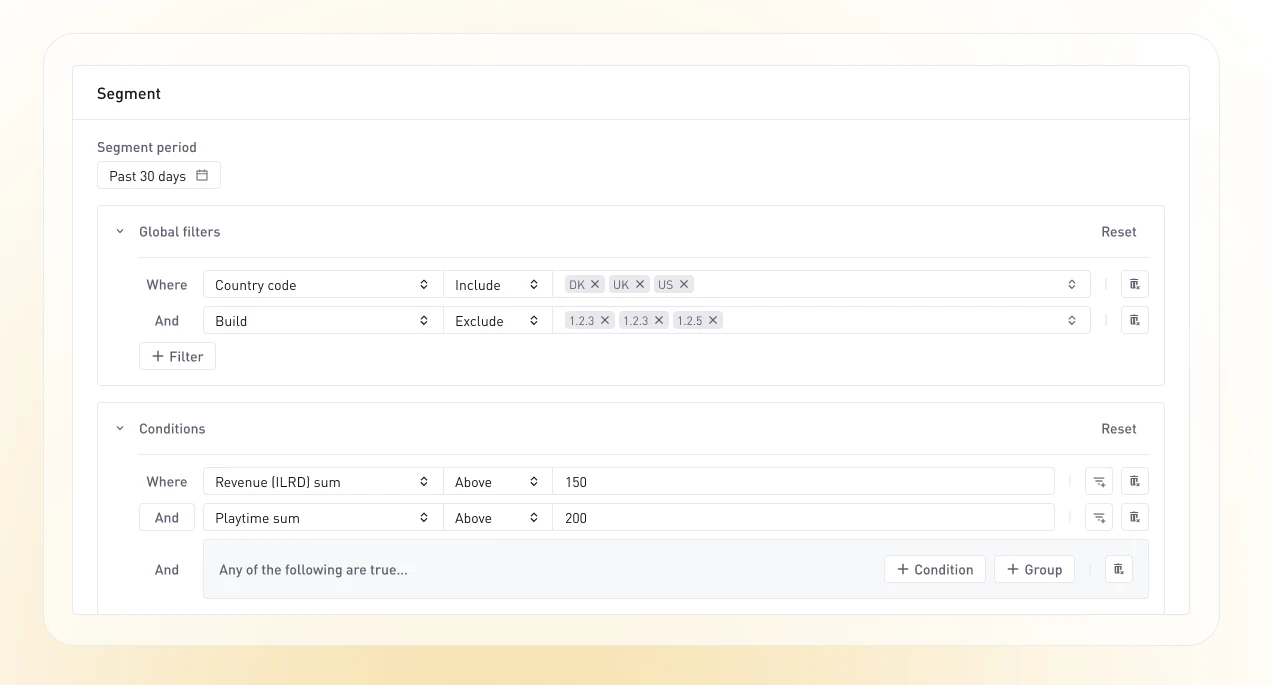
You define a group of players, say, "players in Germany who have spent more than $20 in the last 30 days on the latest build version", and Segments processes that definition against your game data, producing a reusable audience. That audience then becomes available across the rest of the platform, so you can filter reports by it, target experiments at it, and push configuration changes to it. Define once, reuse everywhere.
How Segmentation works
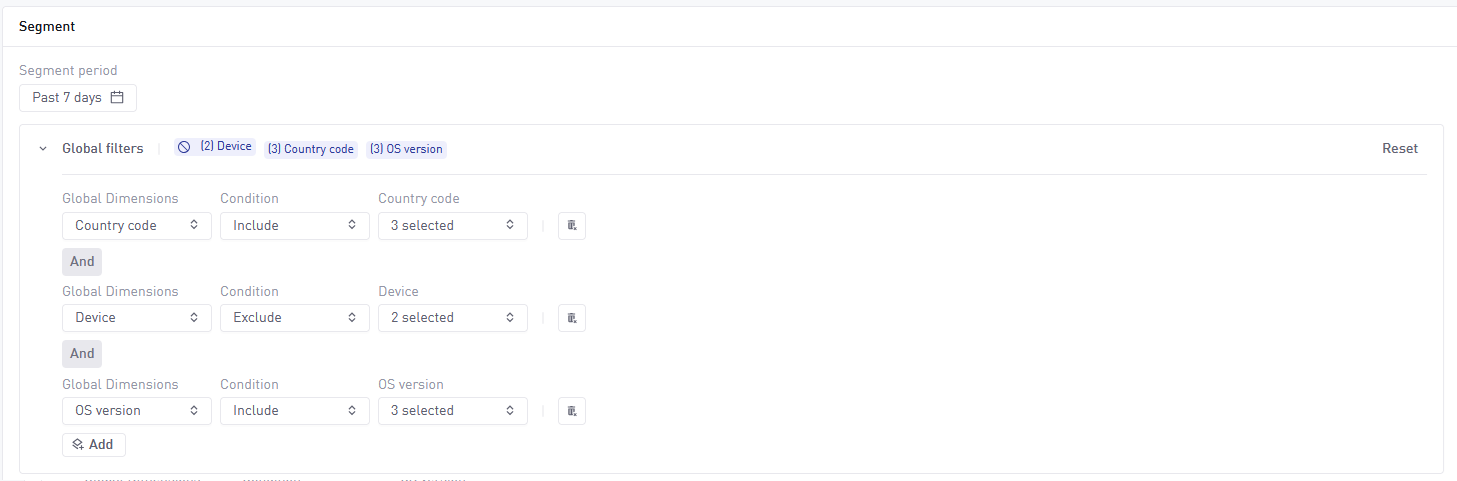
A segment is built from three parts: a period, global filters, and conditions.
The period is the historical date range the segment is evaluated against. The default period is 7 days. When you create a segment by duplicating an existing one, the period keeps the same number of days as the source and ends yesterday.
Global filters apply across the whole segment. They cover dimensions that describe a player rather than an action: country, device, platform, manufacturer, build version, first build, OS version, SDK version, engine version, and every acquisition dimension (publisher, campaign, ad group, ad, site, keyword). Each filter includes or excludes a set of values. Global filters combine with AND, meaning every filter has to be true for a player to match.
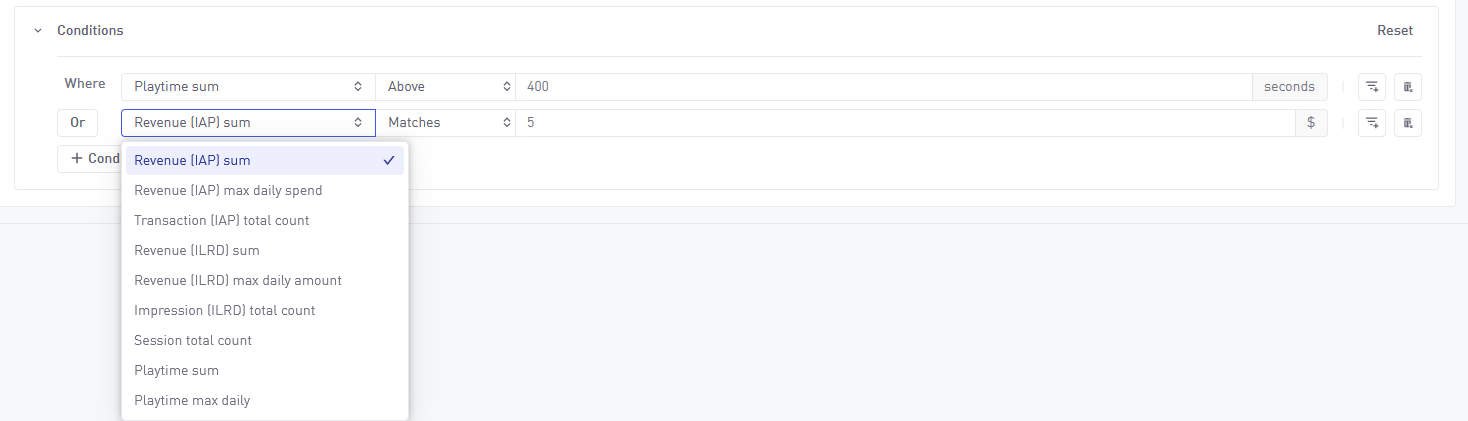
Conditions define behavioral rules. Each condition uses one of nine metrics:
- Revenue (IAP) sum, total in-app purchase revenue
- Revenue (IAP) max daily spend, largest single-day IAP spend
- Transaction (IAP) total count, number of IAP transactions
- Revenue (ILRD) sum, total ad revenue (impression-level ad revenue)
- Revenue (ILRD) max daily amount, largest single-day ad revenue
- Impression (ILRD) total count, number of ad impressions
- Session total count, number of sessions
- Playtime sum, total playtime
- Playtime max daily, longest single-day playtime
Each condition pairs a metric with a comparator (above, below, matches) and a value. So "players with cumulative IAP revenue above $50" is one condition. "Players with at least 20 sessions" is another. Each condition can also have its own filters, for example, "sessions where the player used the latest build," or "IAP revenue from players acquired via a specific campaign."
Conditions can combine with AND or OR logic, and nest into groups for more complex definitions. Once your segment is defined, hit Process and GameAnalytics builds you a reusable audience, ready to plug into the rest of the platform.
Where Segments plug in across the platform
A segment isn't useful in isolation. It's useful because it becomes a reusable audience across the features you already work with.
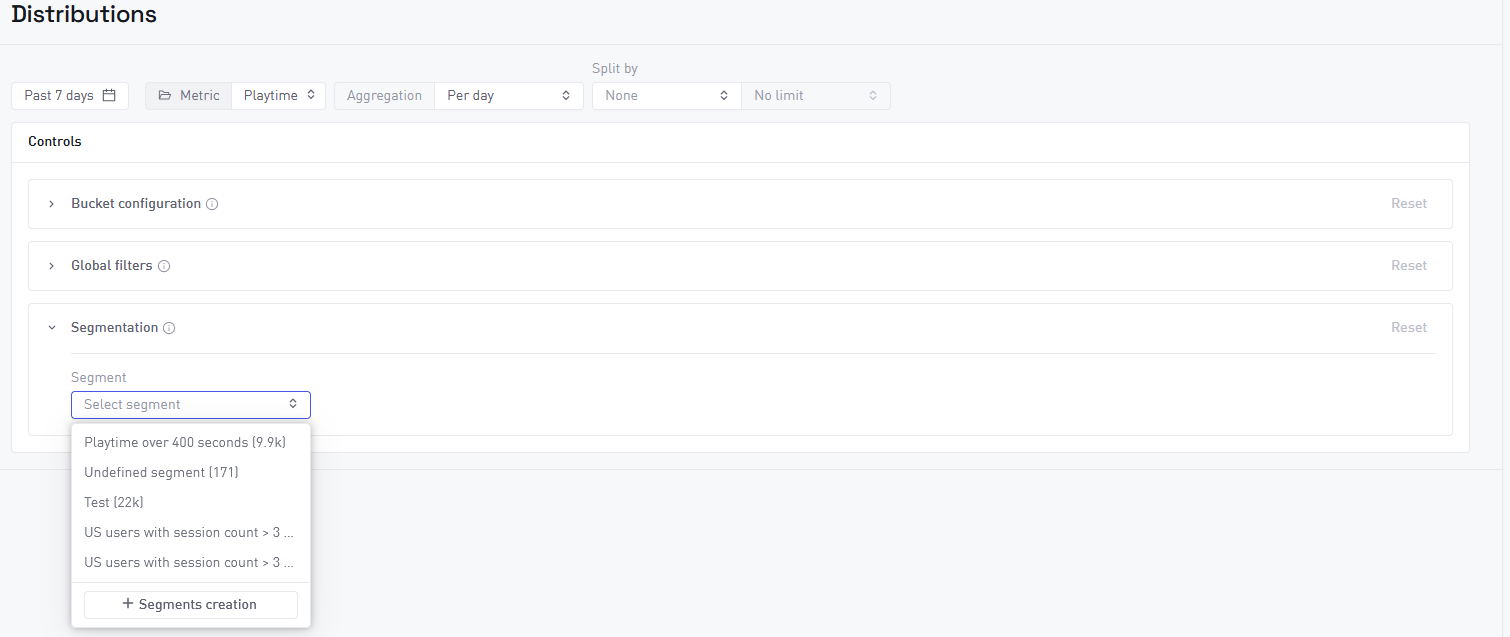
In Distributions, apply a segment to see how a specific player group is distributed across a metric. Instead of a single company-wide ARPPU histogram, filter to your German whales and see the actual shape of their spend behavior.
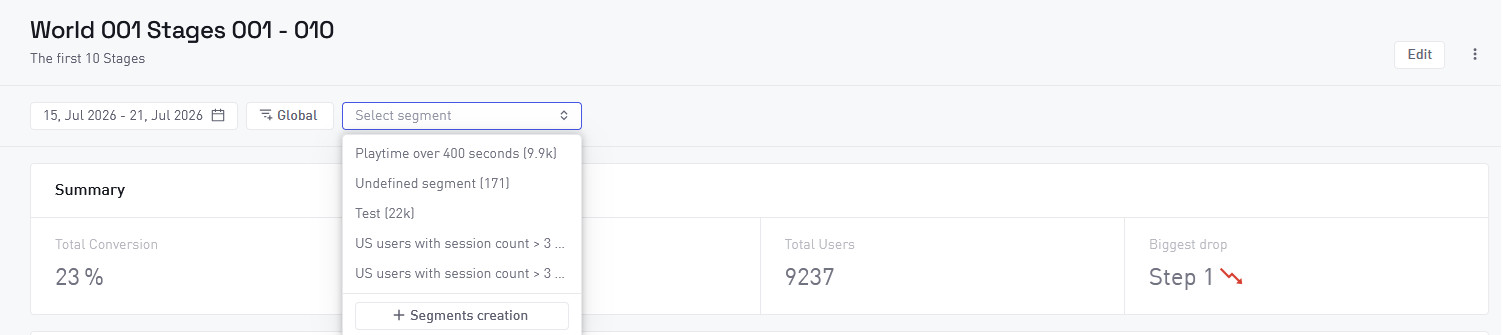
In Funnels, apply a segment as a filter when viewing a saved funnel to see how a specific group moves through your progression, purchase, or retention flow. A common pattern is to compare the same funnel with and without a segment applied, to see where a specific audience drops off versus your general player base.
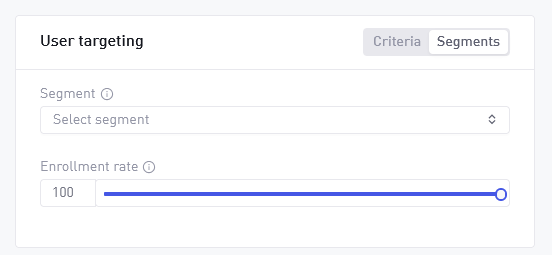
In A/B testing, target a test at a segment instead of your entire player base. Roll a new offer flow out only to whales. Test a difficulty tweak only on players with more than 10 hours of playtime. The enrollment rate control still applies, so you keep granular control over exposure.
In Remote configs, push a configuration change only to a defined segment. A limited-time offer for high spenders (also applies to A/B tests), a UI change for players on the latest build, a promotional event for players from a specific region. All without an app update.
Use cases in practice
Segments show their value the moment they're applied to real decisions. Every team looks at their game through a different lens, and segmentation lets each of them focus on the players who matter most to their work.
Live ops teams can build a segment of "engaged non-payers", players with more than 10 sessions in the last 14 days but zero IAP transactions. Push a first-time offer to them via a remote config. Measure conversion in Distributions.
Product teams can compare funnel completion between "new players on the latest build" and "returning players on older builds" to see whether a recent update improved onboarding or broke it for existing players.
UA teams can segment by acquisition campaign to compare early-game behavior across sources. Which campaign brings players who spend? Which brings volume but no depth?
Monetization managers can build a "whale" segment (top-spending players) and a "shows early spend signal" segment (players who made a purchase in their first session). Apply both across Distributions and Funnels to understand what your highest spenders look like, and where the players who started spending but never scaled up dropped off.
For regional live ops, segment by country and build version to run localized events without disturbing global players. Push a Lunar New Year config to APAC only, or roll a payment change to Germany only.
When Segments is enough, and when you need User Analysis
Segments covers a huge amount of the segmentation work most teams do, and it plugs into the features you're already using. Together with Distributions, Funnels, A/B Tests, and Remote Configs, it gives every team a full segmentation-and-action workflow on the free tier.
There are, however, moments when a specific question needs a deeper answer than defined audiences alone can give. That's where User Analysis, the Pro extension to SegmentIQ, comes in. Move to User Analysis when you need to:
- Compare two or more segments side by side in one analysis. Segments lets you apply different audiences to the same Distribution or Funnel, but there's no dedicated comparison view.
- Investigate individual player timelines through User Lookup. Segments tells you how many users match a definition; User Lookup lets you drill into any one of them.
- Use dynamic segmentation that updates as new player data comes in, with time-based filters like "spent over $20 in the last week."
- Build strict-ordered funnels with time constraints between steps.
- Segment on custOom event properties rather than the nine defined metrics.
Segments and User Analysis solve different problems. Segments is how you define an audience once and act on it consistently. User Analysis is how you answer a specific question when the answer isn't yet obvious in the data. Most studios use both, and each carries its own weight.
Getting started
Segments is live in every GameAnalytics account, free. Head to SegmentIQ > Segments to build your first one.
A good place to start: pick one behavioral question you've been asking about your players (who's spending, who's churning, who's engaged but not paying) and build a segment for that group. Apply it to Distributions and Funnels to see how they compare to your overall player base. Then decide what to do about the gap.
Or explore the full documentation for the technical details.